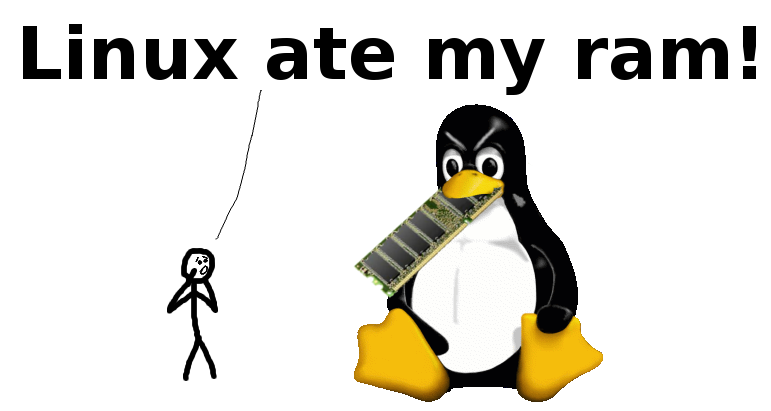
Don't Panic!
Your ram is fine!
What's going on?
Like all modern operating systems, Linux is borrowing unused memory for disk caching. This makes it look like you are low on "free" memory, but you are not! Everything is fine!
Why is it doing this?
Disk caching makes the system much faster and more responsive! There are no downsides, except for confusing users who are new to computing, and unfamiliar with the concept of a filesystem cache. It doesn't generally take memory away from applications.
What if I want to run more applications?
If your applications want more memory, the kernel will just take back a chunk that the disk cache borrowed. Disk cache can always be given back to applications immediately! You are not low on ram!
Do I need more swap?
Probably not; disk caching primarily borrows the ram that applications don't currently want. If applications want more memory, the kernel will take it back from the disk cache. Linux can push application memory into swap if that memory is accessed less often than the filesystem cache, but this will typically improve performance, not hurt it.
How do I stop Linux from doing this?
You can't completely disable disk caching, (but you can tune Linux's "swapiness"). The only reason anyone ever wants to disable disk caching is because they think it takes memory away from their applications, which it doesn't! Disk cache makes applications load faster and run smoother, but it NEVER EVER takes memory away from them! Therefore, there's absolutely no reason to disable it!
If, however, you find yourself needing to clear some RAM quickly for some reason, like benchmarking the cold-start of an uncached application, you can force linux to nondestructively drop caches using echo 3 | sudo tee /proc/sys/vm/drop_caches.
Why do top and free say that so little ram is free if it is?
This is just a difference in terminology. Both you and Linux agree that memory taken by applications is "used", while memory that isn't used for anything is "free".
But how do you count memory that is currently used for something, but can still be made available to applications?
You might count that memory as "free" and/or "available". Linux instead counts it as "available":
| Memory that is | You'd call it | Linux calls it |
|---|---|---|
| used by applications | Used | Used |
| used, but can be made available | Free (or Available) | Available |
| not used for anything | Free | Free |
This "something" is (roughly) what top and free calls "buffers" and "cached". Since your and Linux's terminology differs, you might think you are low on ram when you're not.
How do I see how much free ram I really have?
To see how much ram your applications could use without swapping, run free -m and look at the "available" column:
  $ free -m
                total        used        free      shared  buff/cache   available
  Mem:           1504         636          13           0         855      792
  Swap:          2047           6        2041
(On installations from before 2014, look at "free" column in the "-/+ buffers/cache" row instead.)
This is your answer in MiB. If you just naively look at "free", you'll think your ram is 99% full when it's really just 42%!
For a more detailed and technical description of what Linux counts as "available", see the commit that added the field.
When should I start to worry?
A healthy Linux system with more than enough memory will, after running for a while, show the following expected and harmless behavior:
freememory is close to0availablememory (or "free + buffers/cache") has enough room (let's say, 20%+ of total)swap useddoes not change
Warning signs of a genuine low memory situation that you may want to look into:
availablememory (or "free + buffers/cache") is close to zeroswap usedincreases or fluctuatesdmesg | grep oom-killershows the OutOfMemory-killer at work
How can I verify these things?
See this page for more details and how you can experiment with disk cache to show the effects described here. Few things make you appreciate disk caching more than measuring an order-of-magnitude speedup on your own hardware!
LinuxAteMyRam.com was presented by VidarHolen.net. This site is available on GitHub for comments and PRs.